How to Log into FedHub with Login.gov Credentials
This job aid assists users on how to log into FedHub using Login.gov credentials on a desktop.
NOTE: If you are accessing FedHub on a mobile device, refer to the mobile version of the "How to Log into FedHub with Login.gov Credentials" job aid.
-
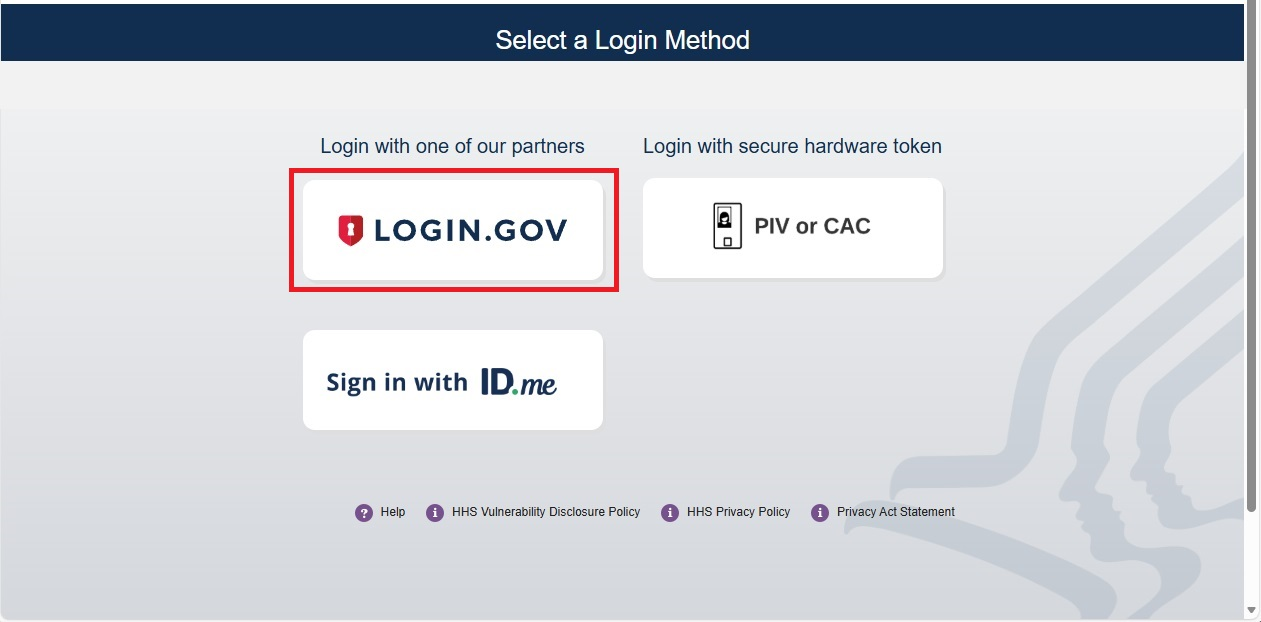
To log into FedHub, you will be using your Login.gov account credentials. From the FedHub login page (https://fedhub.hhs.gov), click the "Login.gov" button.
NOTE: If you have previously signed into Login.gov and have an active session, you will bypass steps 2 - 3.
-
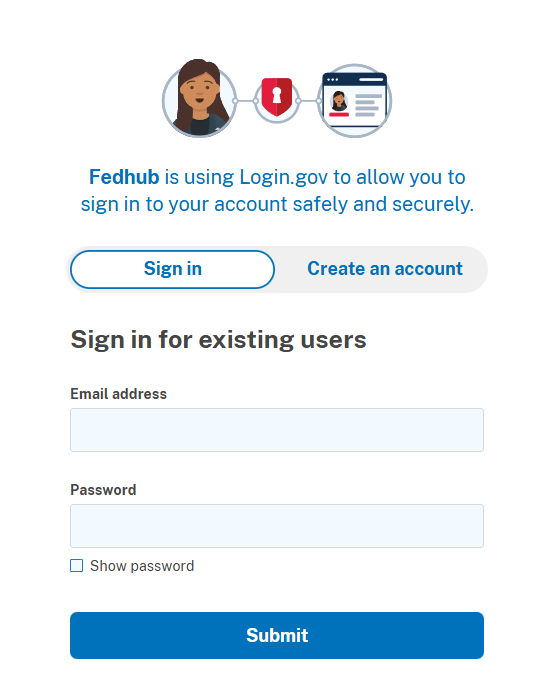
The FedHub/Login.gov landing page will be displayed. Enter your Login.gov account credentials (i.e., email address and password) and click the "Submit" button to continue.
NOTE: If you do not have an existing Login.gov account, you will need to create a Login.gov account before continuing.
-
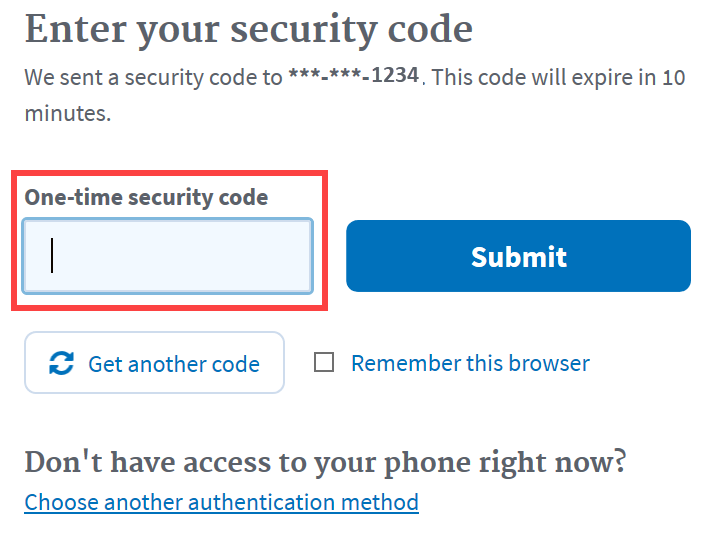
A one-time security code will be sent to your primary authentication method. Enter the code into the "One-time security code" textbox and click the "Submit" button.
NOTE 1: This step may vary depending on how the second factor authentication was configured for the account.
NOTE 2: If you do not have access to your primary authentication method, you may opt to use your secondary authentication method by selecting the "Choose another authentication method" link.
-
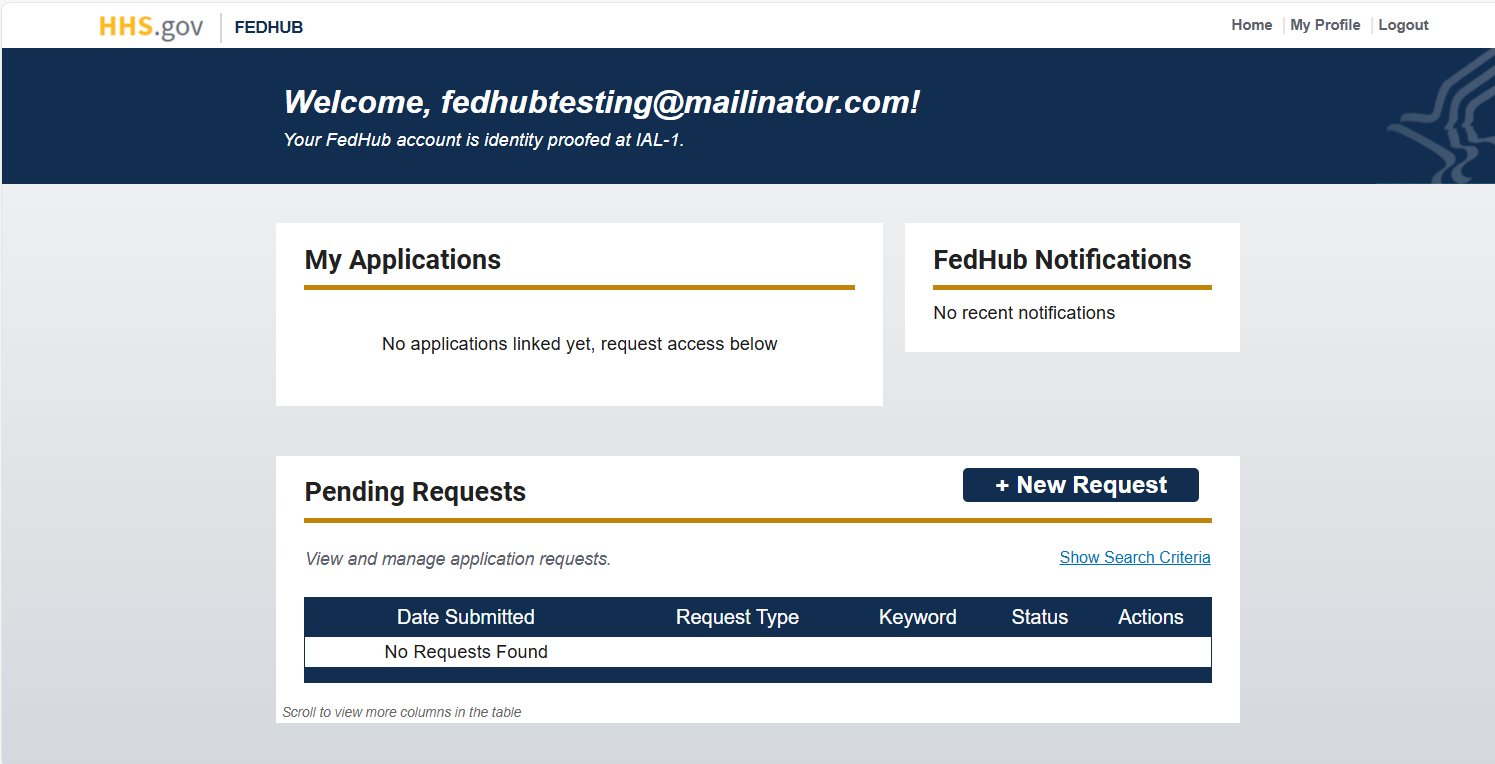
Upon successful login, your FedHub user dashboard will be displayed.
NOTE: If you have previously signed into FedHub using a PIV or CAC card with the same email as your Login.gov credentials, you will need to log in with your PIV or CAC and link your Login.gov credentials from the My Profile page.