
How to Request Access to an Application
This job aid assists users on how to request access to an application they do not currently have access to in FedHub.
NOTE: If you are accessing FedHub on a mobile device, some screens may vary in appearance.
-
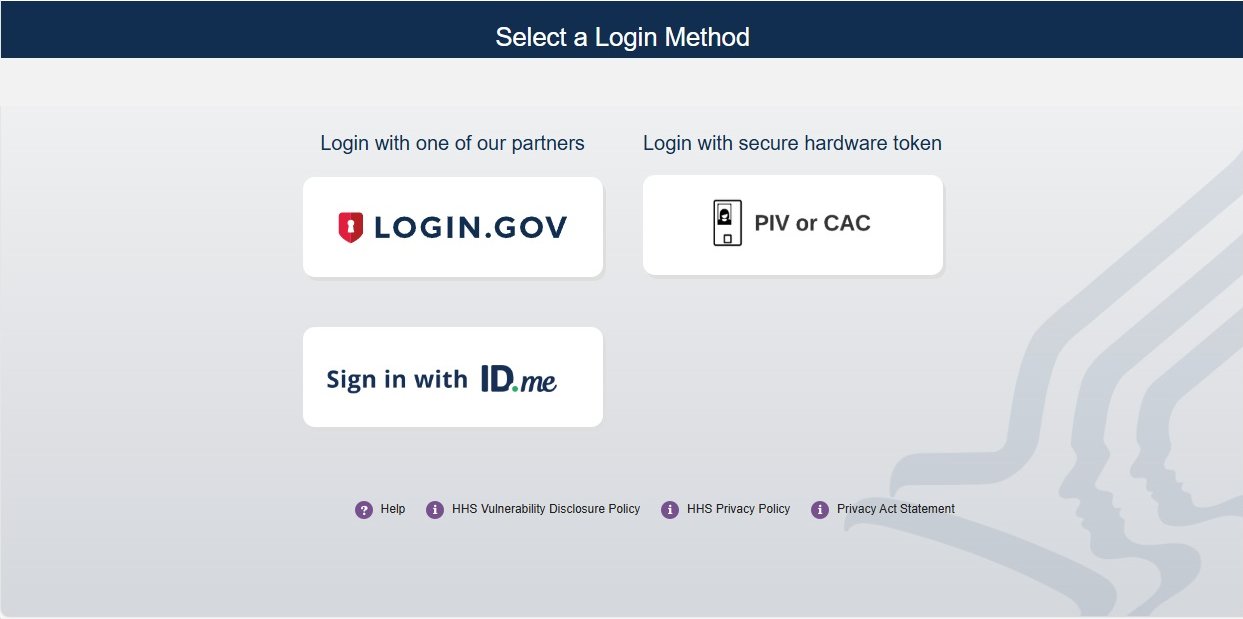
Log into FedHub (https://fedhub.hhs.gov) using one of the methods presented on the login page. For quick and easy access to your applications, add this page to your browser favorites or create a desktop shortcut.
-
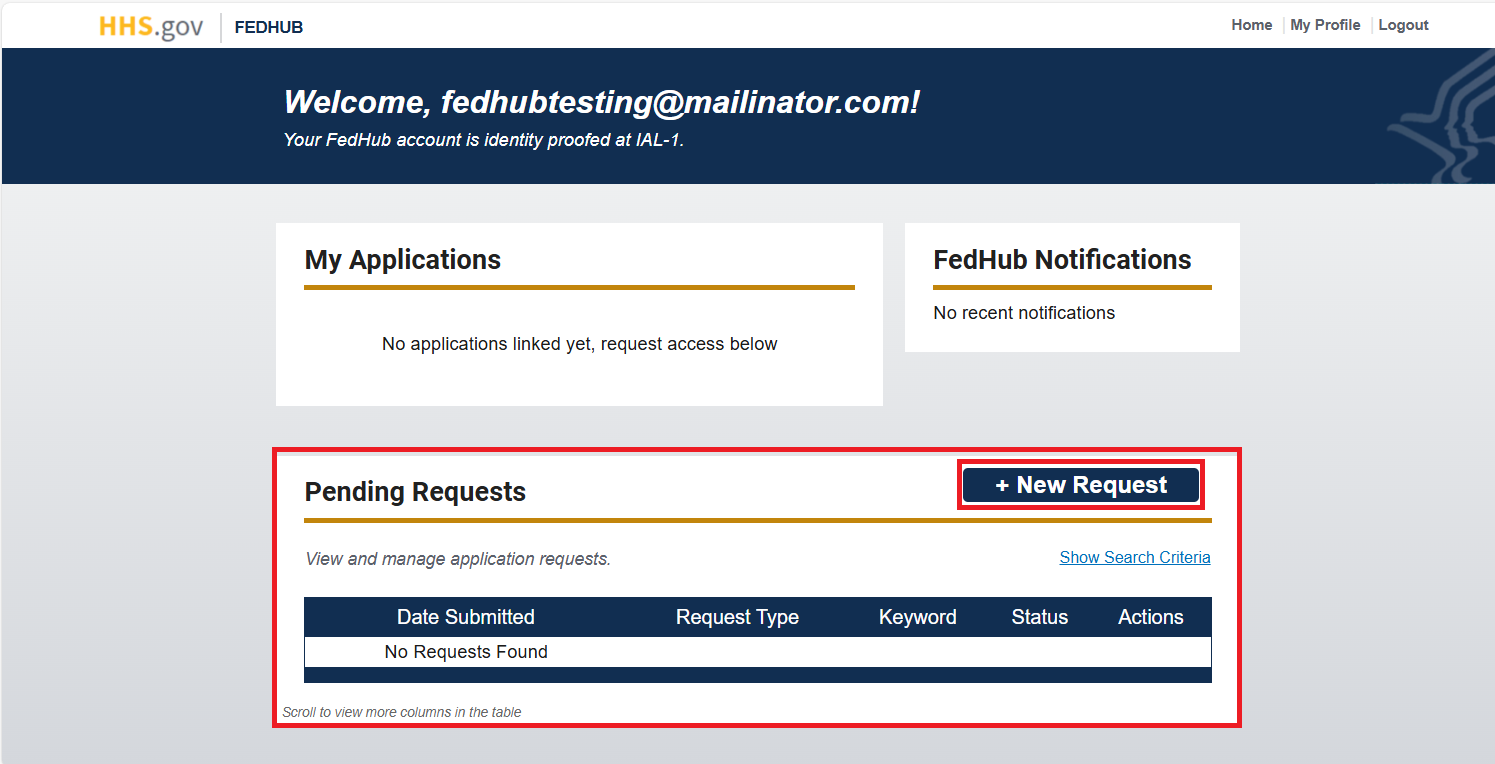
From your dashboard, select the "New Request" button in the "Pending Application Requests" section.
-
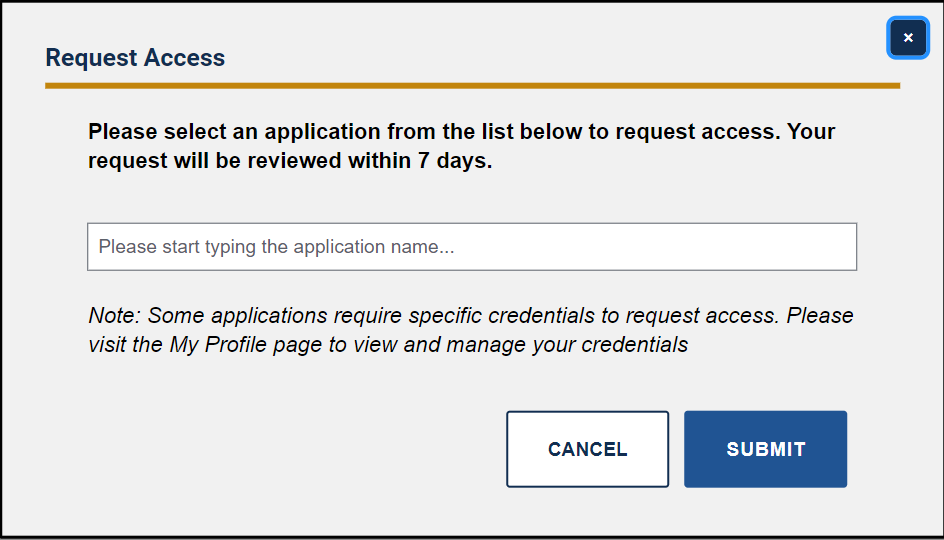
In the "Request Access" pop-up, begin typing the name of the desired application in the entry field to be provided the suggested application(s) in the drop-down. Select the correct application from the drop-down list and click the "Submit" button.
-
Depending on the requirements of the application, one (1) of four (4) pop-ups will be displayed:
-
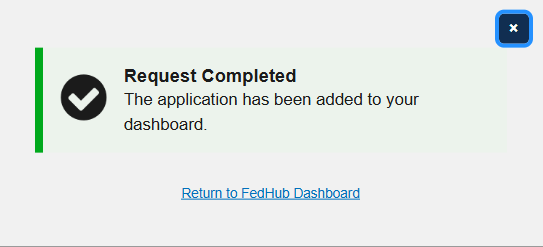
If the application does not require approval for access, the “Request Completed” confirmation pop-up will display. Click the “Return to Dashboard” link to close the pop-up and return to the FedHub user dashboard.
-
If the application requires that you be affiliated with a specific organization and you have not yet affiliated, the “Request Not Submitted” pop-up will display. Select the "Return to Dashboard” link to close the pop-up and navigate to the My Profile page. You will need to affiliate with an organization before you can submit the application request for review.

-
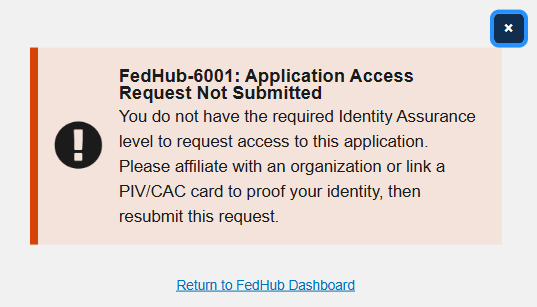
If the application requires that you have a higher Identity Authentication Level (IAL), the "Request Not Submitted" pop-up will display. Select the "Return to Dashboard" link to close the pop-up and navigate to the My Profile page. You will need to either affiliate with an organization or link a PIV or CAC card before you can submit the application request for review.
-
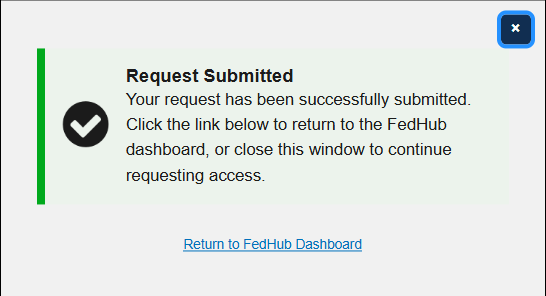
If the application requires approval (and you have successfully affiliated with the necessary organization or completed identity proofing (if applicable)), the “Request Submitted” pop-up will display. An Application Owner will receive and review your request. You will receive an email notification when your request has been acted upon.
-
-
After the request has been submitted and approved (if applicable), the application icon and link will be added to the "My Applications" section of the FedHub user dashboard.